What shipped
The archive of tickerseer's monthly product updates: what reached users each month, newest first. tickerseer launched in May 2026, so the archive starts with the first edition, June.
Each new edition also goes out as an email, to every account and to the free Monday preview list.
What shipped in September: an MCP connector, decision receipts, earnings play cards
September brought tickerseer into your AI assistant and made settled calls easier to check. The earnings, catalyst and ticker pages were also reworked to show more with less scrolling.
Use tickerseer research from your AI assistant
tickerseer now has an MCP connector, so AI apps that support MCP can work with tickerseer research directly. It includes an ask tool, resources and ready-made prompts, and a connector page shows which apps you have connected.
Decision receipts for settled calls
Settled calls now carry a public decision receipt that sets out what the analysis said at the time. Receipts appear as cards on each week's page, the track record hub is easier to scan, and the verdict scorecard is now split by rating ladder.
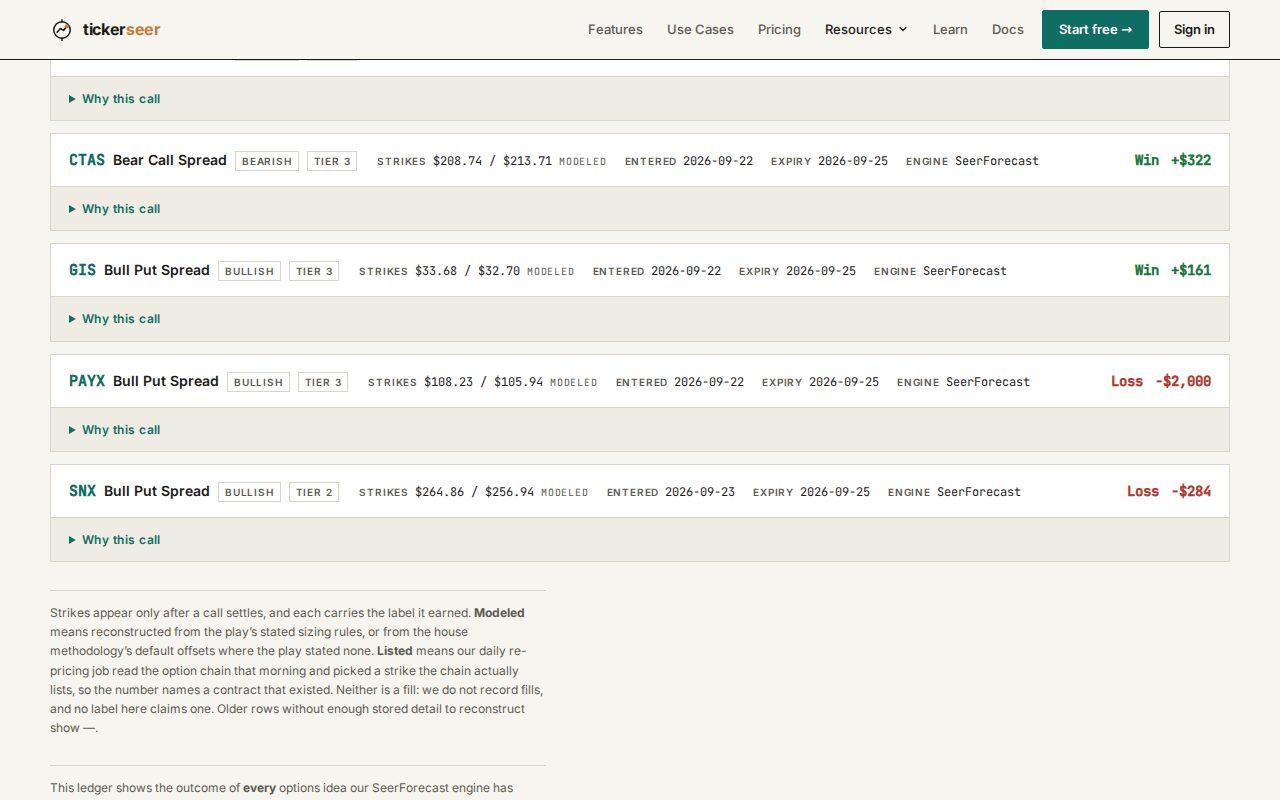
Settled calls on a track record week page. Why this call opens the decision receipt. A cleaner earnings week: compact play cards and a case against
Earnings plays now show as compact cards that open a detail dialog, and the week's reporters are grouped by day and session in place of No Trade cards. Top-tier plays now come with a published case against them, and the weekly doc opens with a Since Last Week box.
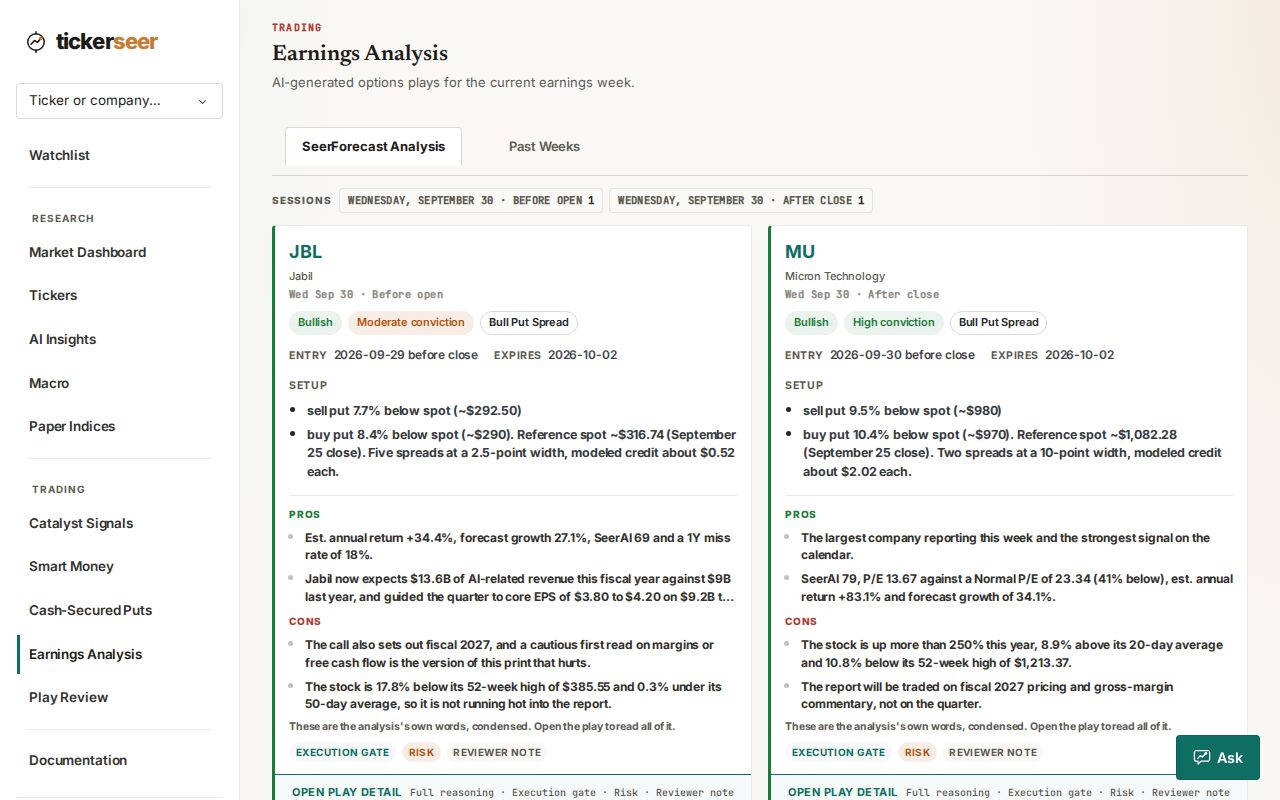
The earnings page, with this week's plays as compact cards listing the pros and cons. Catalysts: pre-market 8-K alerts and a shortlist up top
The catalysts page now has a pre-market strip of 8-K filings from companies reporting today, and it leads with a shortlist. Items that arrived in the latest report are marked, and the Details view is now a structured signal panel.
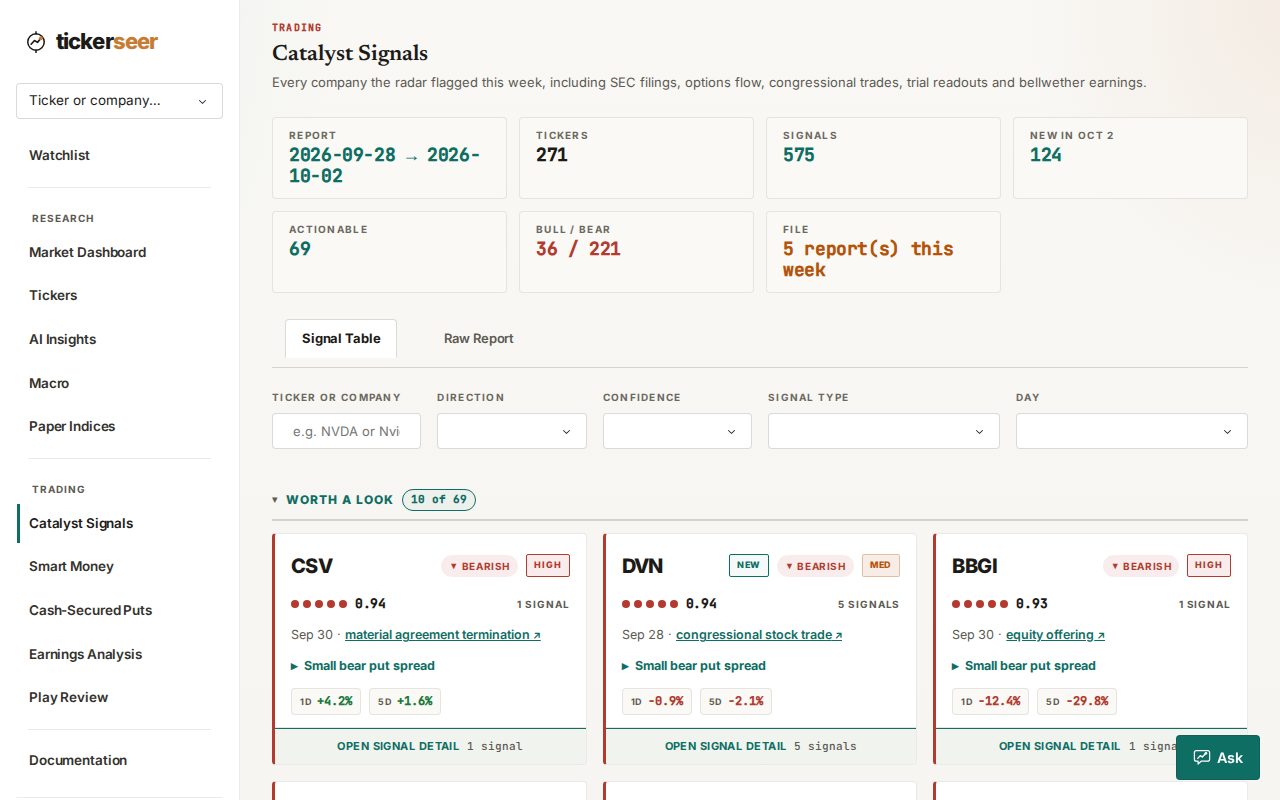
The catalysts page, led by the Worth a Look shortlist. Ticker pages show price at normal P/E and technical context
Public ticker pages now state the price a stock would have at its normal P/E, in dollars. A new descriptive strip adds technical context to the page.
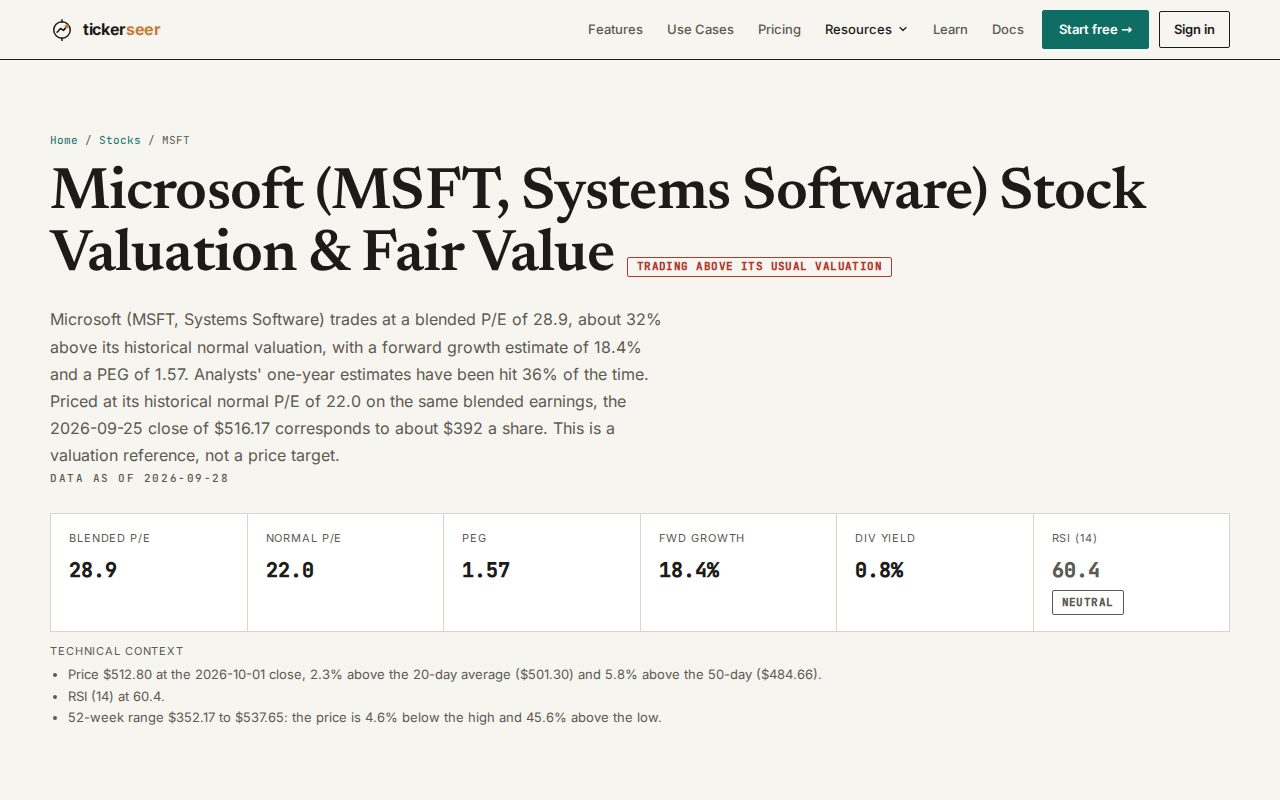
The Microsoft ticker page, with the price at its normal P/E stated in dollars. One-tap bull case and bear case on Ask
On Ask and in the widget, a single tap now writes the bull case or the bear case for the stock you are looking at.
Ratings now weigh fair value, with a stricter discount filter
Ratings now apply fair-value checks and add a value route for stocks that look cheap against fair value. A new filter matches only stocks priced below fair value, and the Stock Ratings table now shows the SeerAI Score.
New research: the ledger study, the fragility-tilt study and comparison panels
The ledger study has been rewritten as a story and is refreshed weekly. We published the fragility-tilt study, corrected a claim in its earlier companion piece, and added a comparison panel to five more studies.
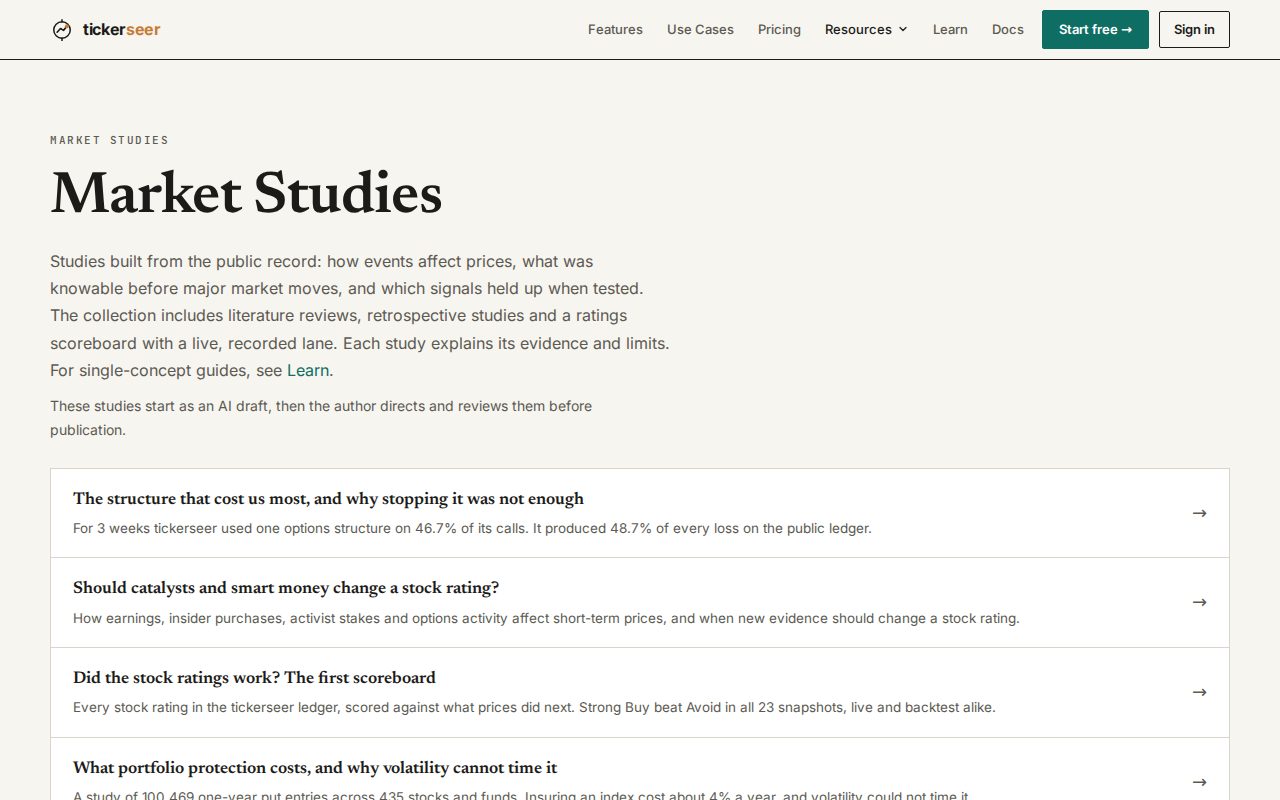
The research page, with the rewritten ledger study at the top of the list.
Also this month
- Sign in now leads with Continue with Google, with the magic link as the second option.
- Product updates have a public archive with screenshots you can click to view full screen, linked under Resources.
- Coverage now includes the MSCI World universe, and stocks on your watchlist stay covered even below the market-cap floor.
- A new tagline, "Stock research with receipts.", now appears across the site.
What shipped in August: rebuilt ticker pages, a public put ledger, market fragility
August was mostly about showing the work. The ticker page was rebuilt around valuation, the settled put ledger went public, and a new macro page puts a number on market fragility.
The ticker deep dive is rebuilt around the valuation corridor
Each ticker page now opens with a fair value headline and an identity strip, with a what changed section and peer comparison rows filling the space beside the corridor. Valuations are warmed weekly so the first click is not slow.
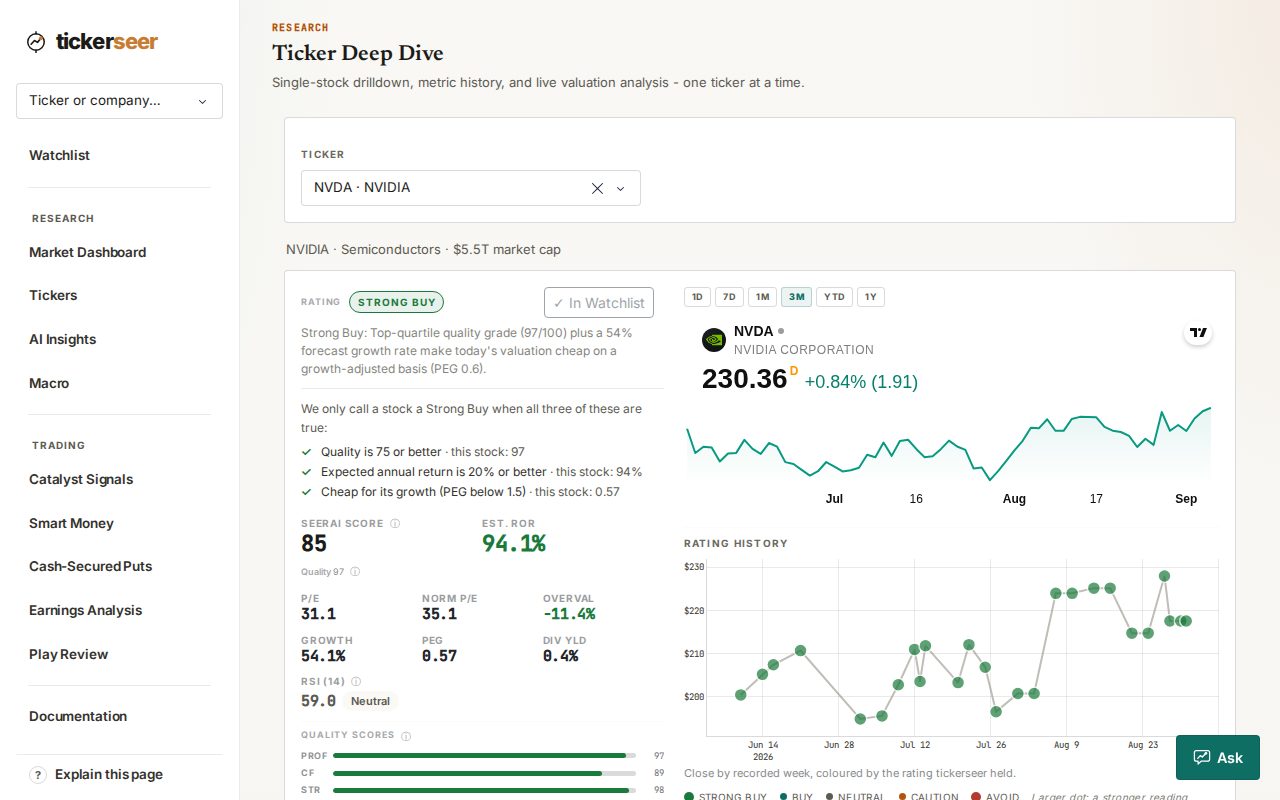
The ticker deep dive, opening on the valuation corridor. Find any stock by company name
Search now matches company names as well as symbols, everywhere tickers are searched rather than only on the watchlist. A recurring check keeps that name mapping complete as new tickers arrive.
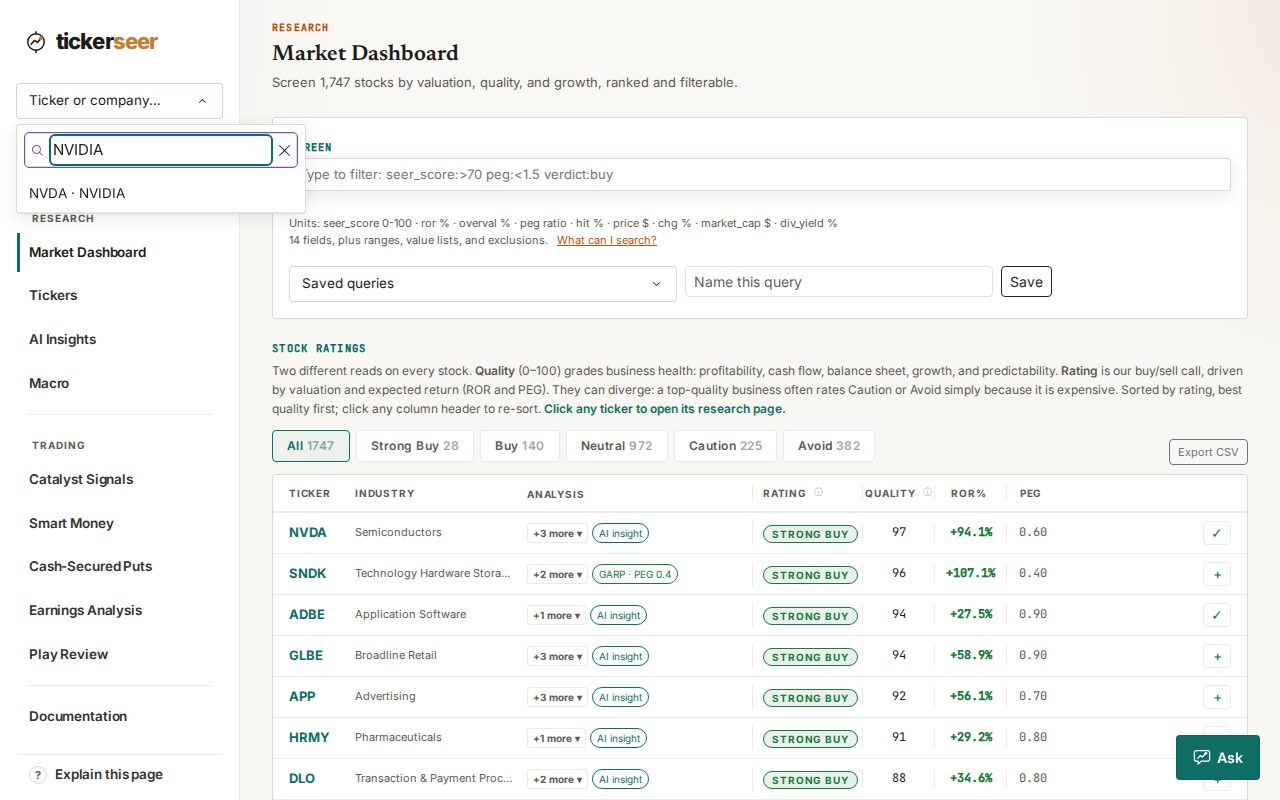
A company name typed into the stock search. Ratings need a valuation anchor, and now show their history
When a stock has no valuation anchor, the rating says so and stops at Neutral instead of guessing. Rating history is recorded weekly and charted under the price chart, on stock pages, watchlist cards and in the app, with dot colours matching the rating badges.
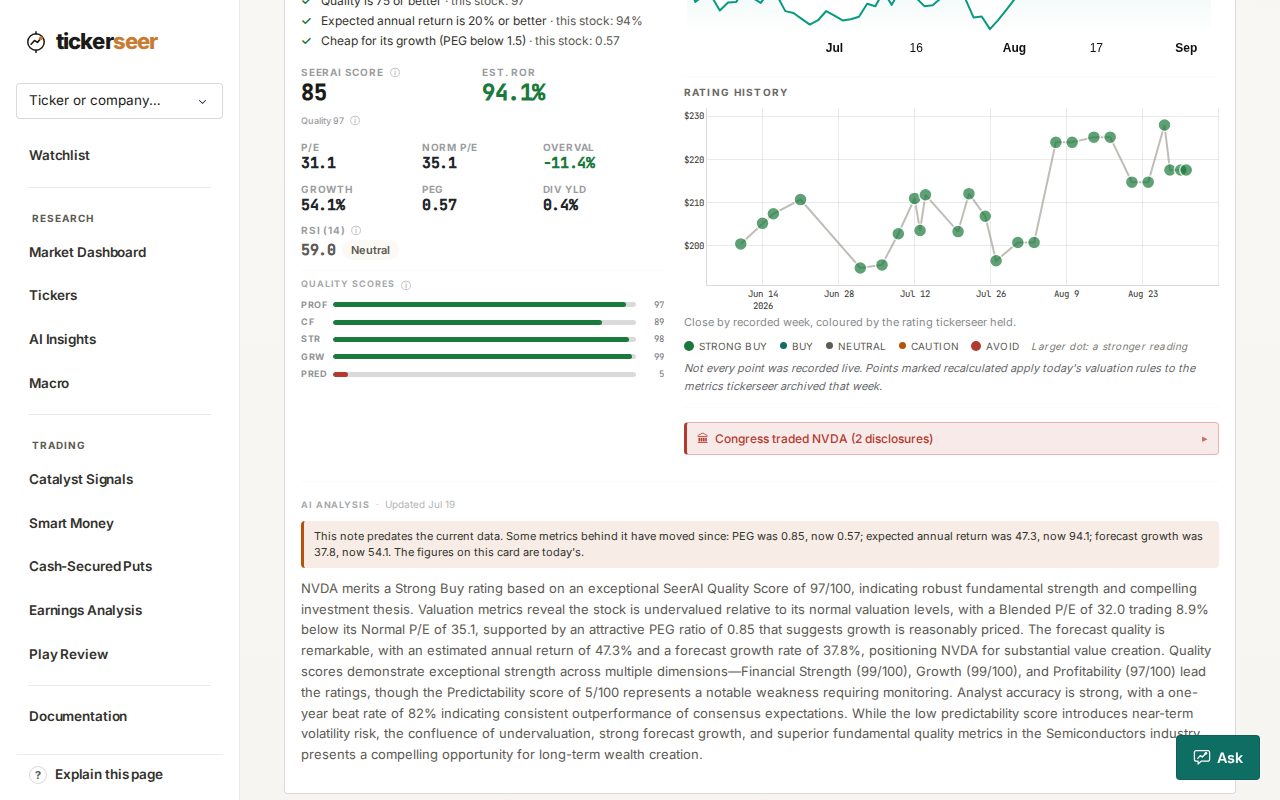
The rating history chart, under the price chart on a ticker page. RSI-14 joins the rating, with a momentum break sell signal
The rating now reads RSI-14 as a contrarian input. RSI value and status appear on watchlist rows and across the product, and a momentum break sell signal arrives as an alert, a watchlist chip and a backtest variant.
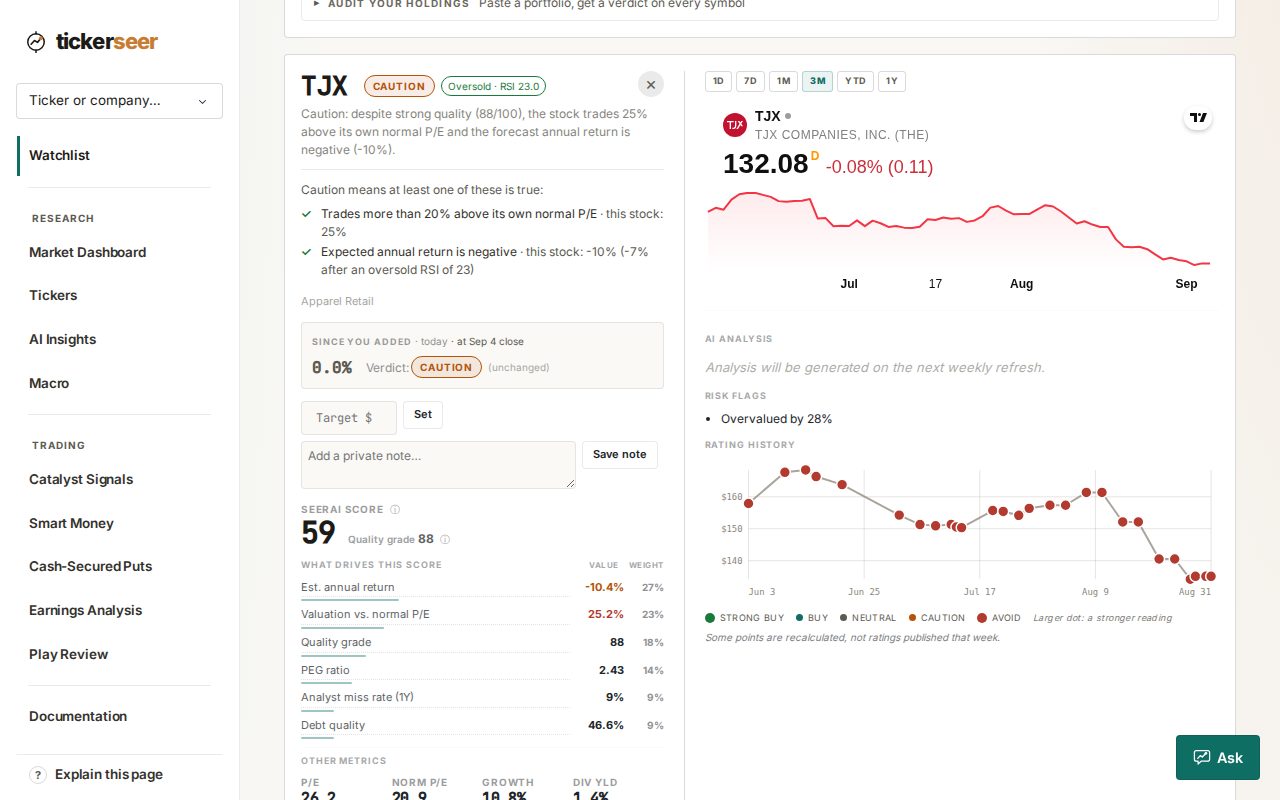
An RSI chip on a watchlist row. The settled cash secured put ledger is public
Settled put positions are published with profit and loss split into premium collected and assignment cost, with a downloadable CSV and tables capped at 50 rows. The keep rate is gated on settlement dates rather than contract count, and the ledger is archived weekly at the Internet Archive.
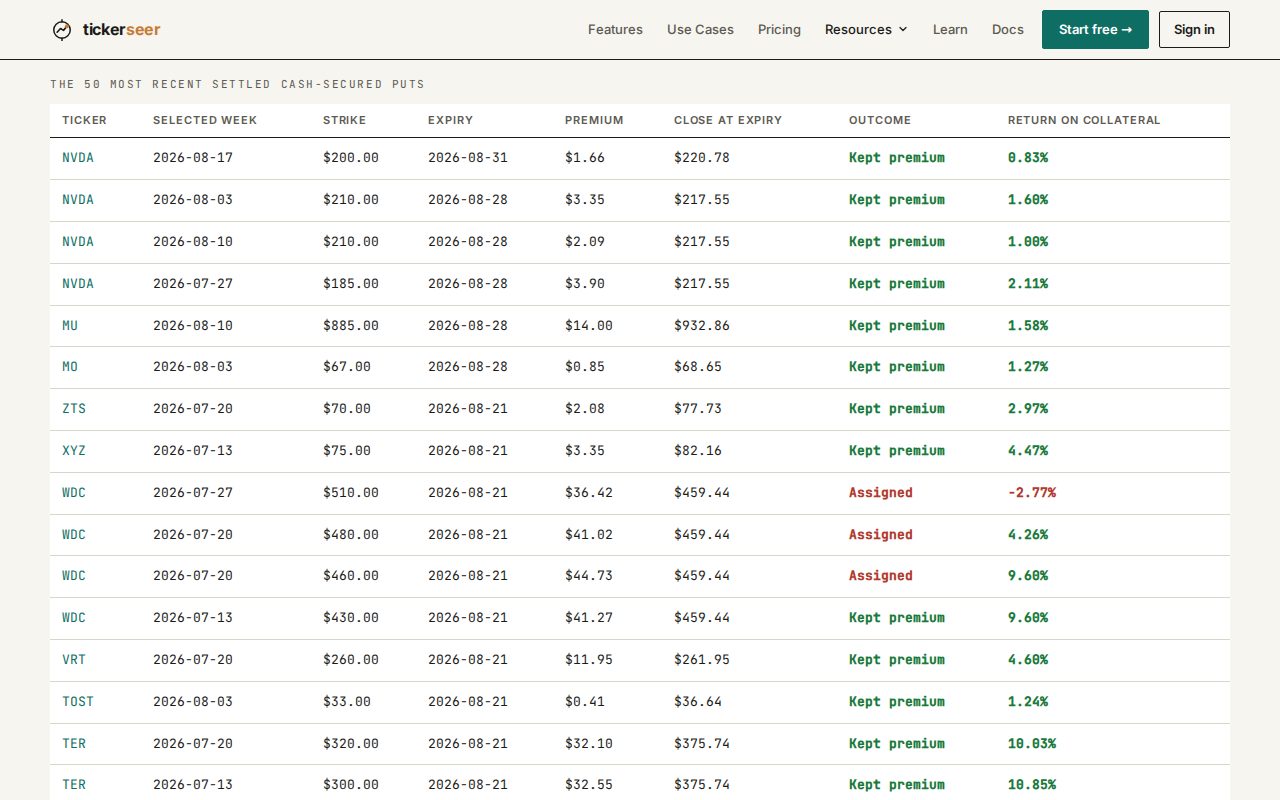
The settled cash-secured put ledger on the track record page. A public research section
Four write-ups are now published and readable without an account: 50 years of crash predictability, put protection, LEAPS volatility, and a case study on how verdicts have behaved.
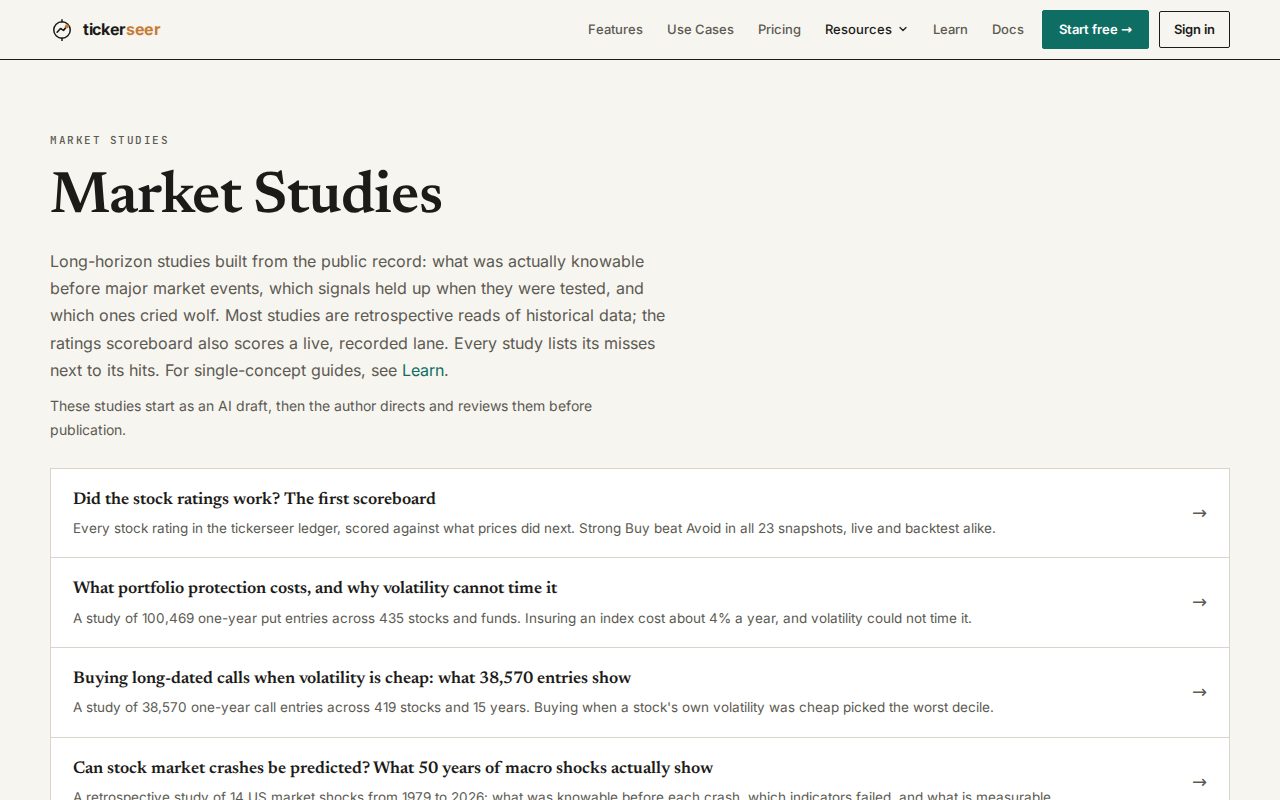
The public research section, listing published studies. Fragility, escalation and drawdown reads on the macro page
The macro page carries a Market Fragility Score from a nightly pipeline, an Escalation Watch ladder, and a classifier that labels the type of drawdown in progress. The fragility line also appears in the weekly digest.
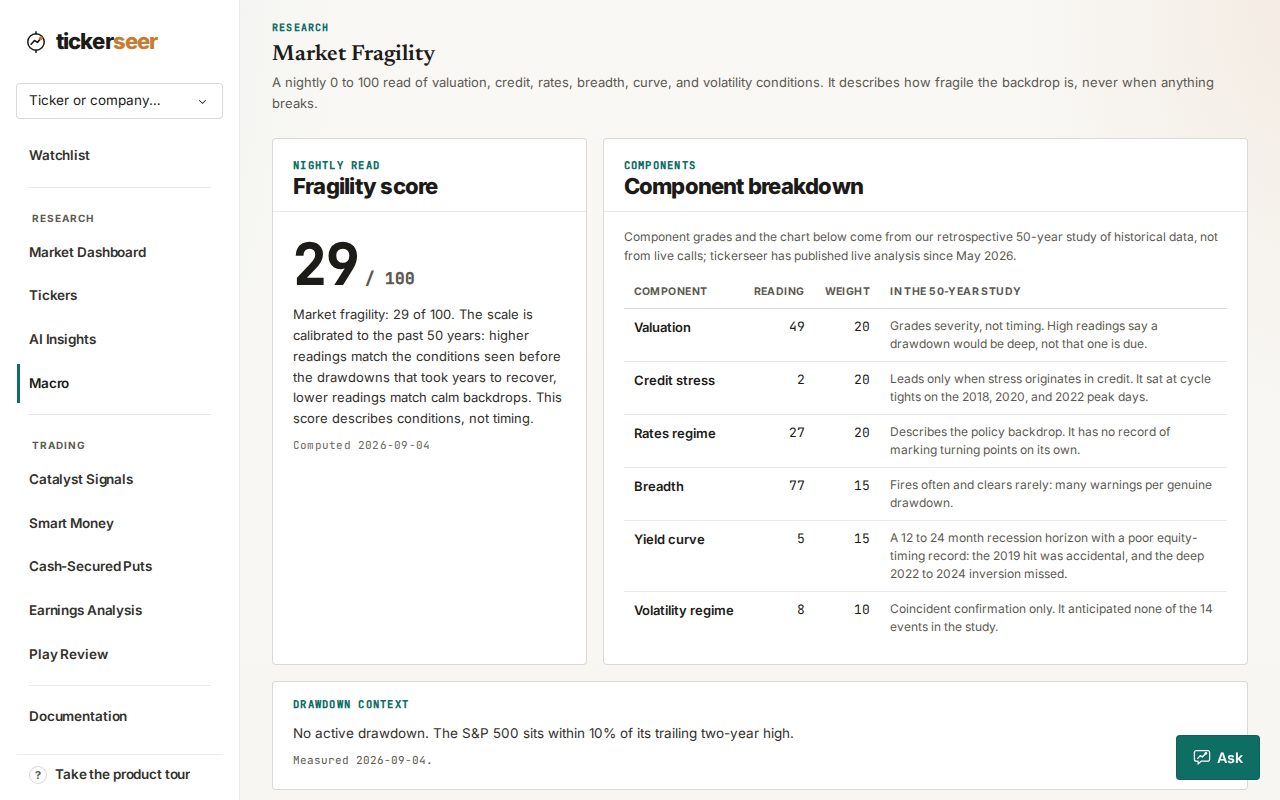
The macro page, showing the Market Fragility Score. The weekly digest covers more ground
The digest adds sector bars, a fragility meter scored 0 to 100, and catalyst rows that list dated events and link to the event itself rather than the ticker page. New signups now receive the digest by default.
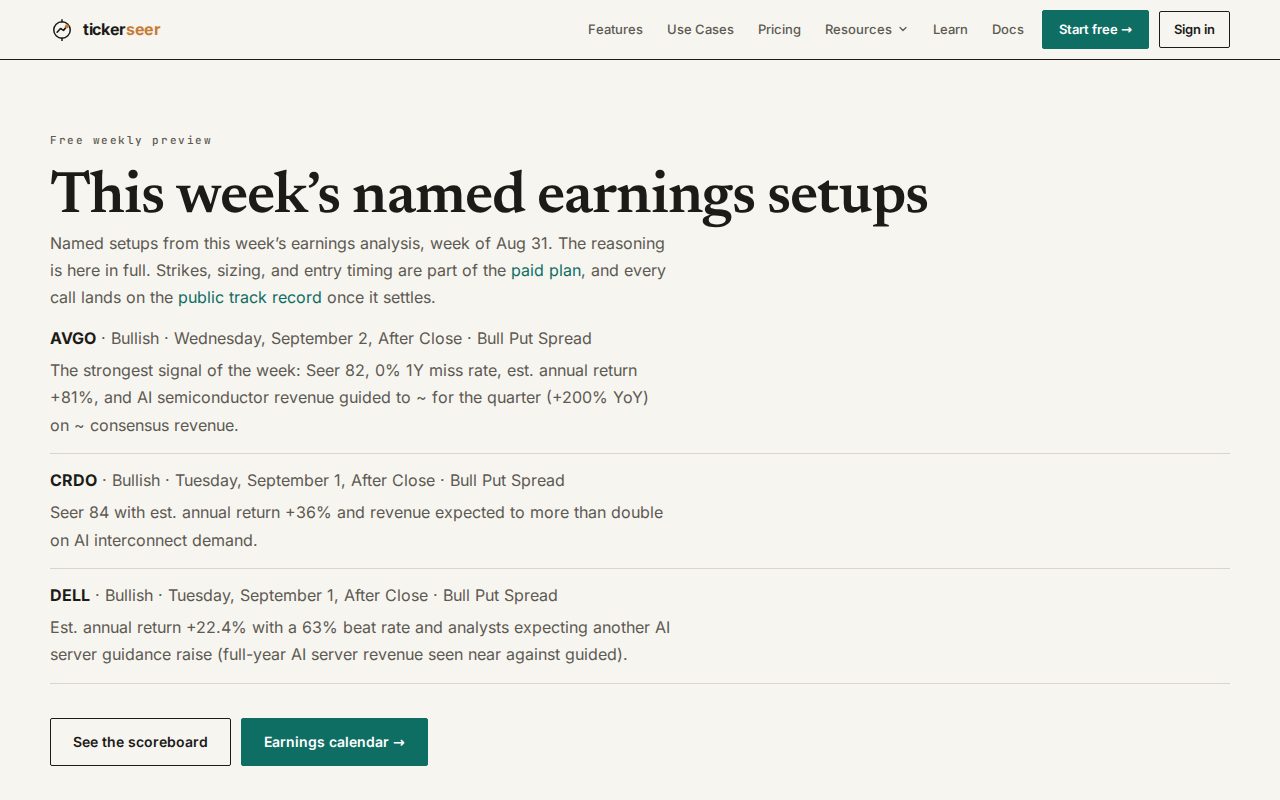
A sample of the weekly digest email. Earnings spread plays are re-priced daily
Plays you have not entered are re-priced each day against the live options chain, and every leg is stated as a percentage from the current price. The cards restate strikes at today's price and drop operator vocabulary.
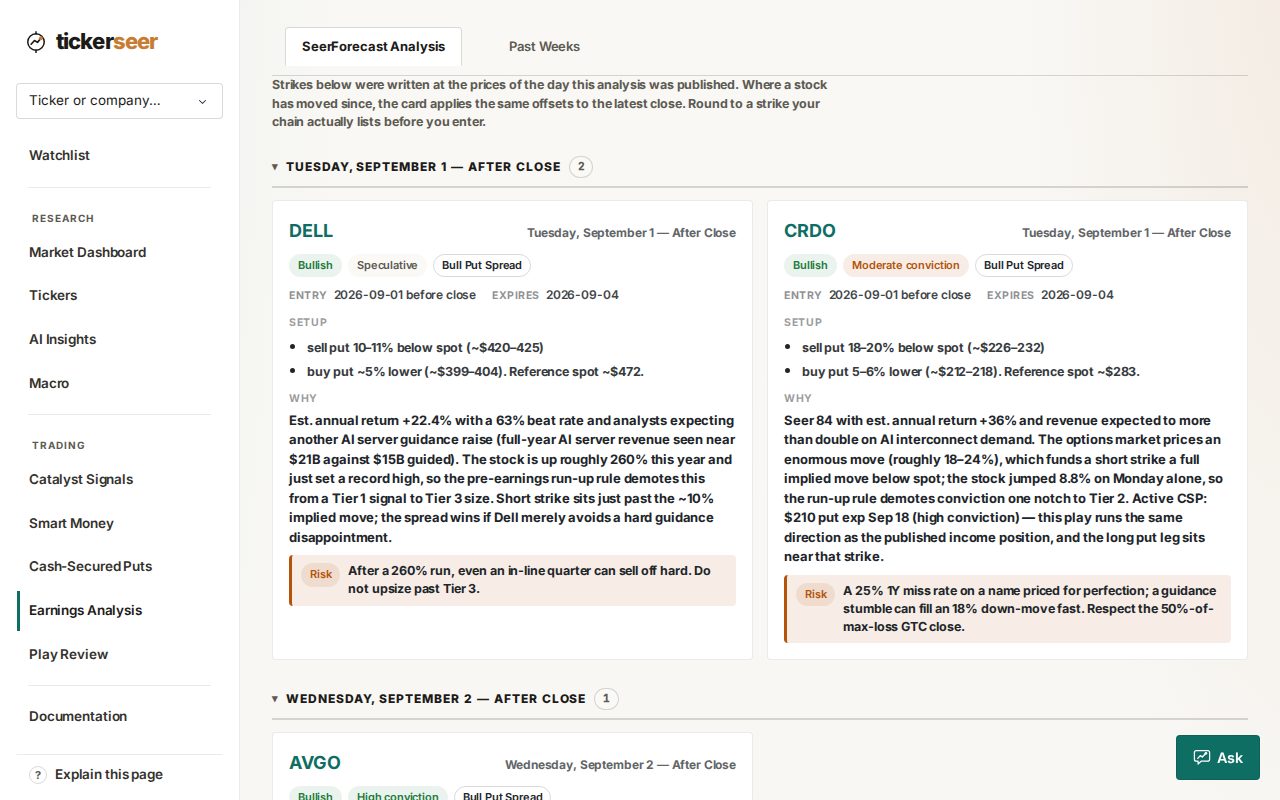
The earnings week's play cards, under the note saying each card re-applies its offsets to the latest close.
Also this month
- Watchlist alert emails now pause at the weekend and skip US market holidays, on a rebuilt desk theme.
- Trial readouts gained a calendar scanner plus curated guided windows: 6 tickers, 8 windows.
- This monthly product update is now generated and sent automatically.
- Company names that are nothing but a corporate suffix now keep it, so results read correctly.
What shipped in July: a new Research Desk, put income, and a public track record
July was our heaviest month so far. A full redesign, a new income screener, and the decision to publish our own scorecard where anyone can check it.
The Research Desk
The app moved onto one design system. A fixed sidebar, the same page header everywhere, one chart template shared across pages, and light theme by default. Every page went through it, including the ones nobody asks about.
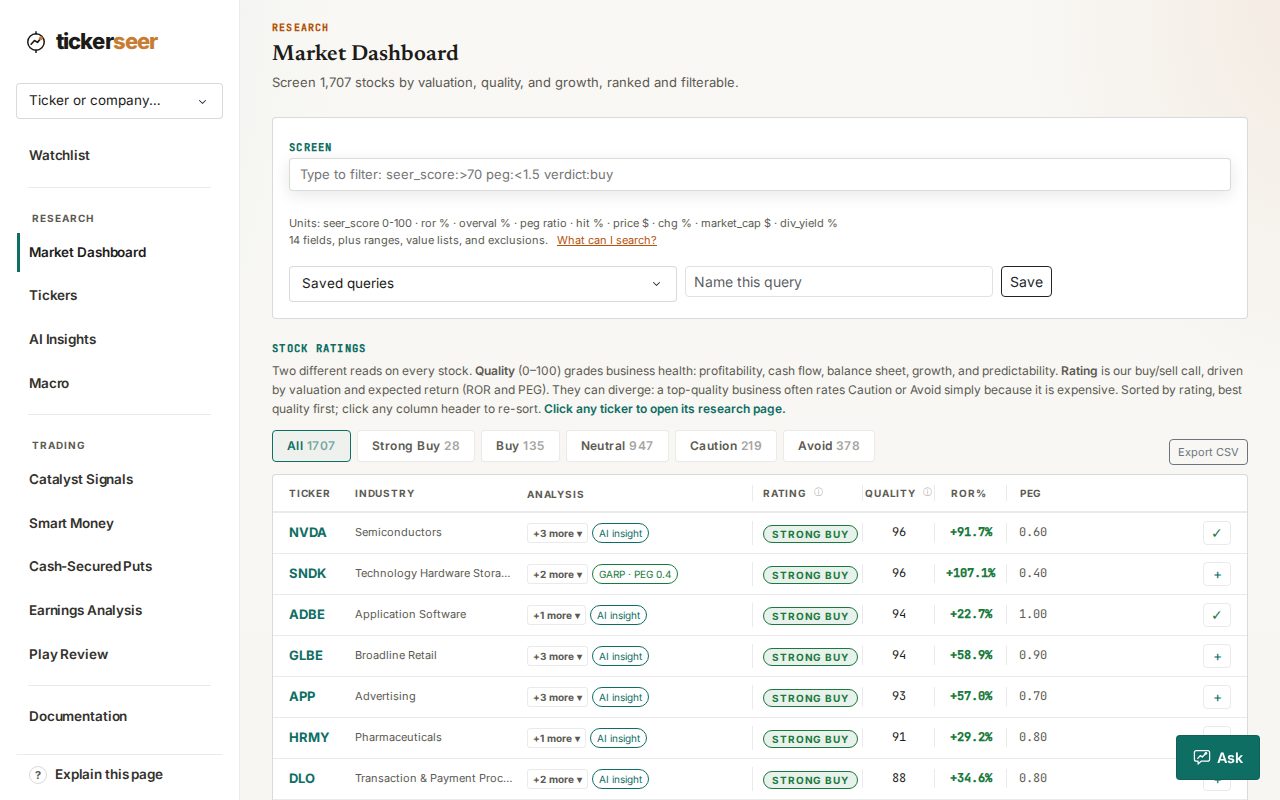
The Research Desk shell, with its sidebar. Put Income screener Premium
A nightly screen for cash-secured puts, restricted to stocks our own engine already rates Buy or better. Each setup carries a conviction tier, the annualized yield, and a defined-risk spread alternative for when you would rather not be assigned the shares.
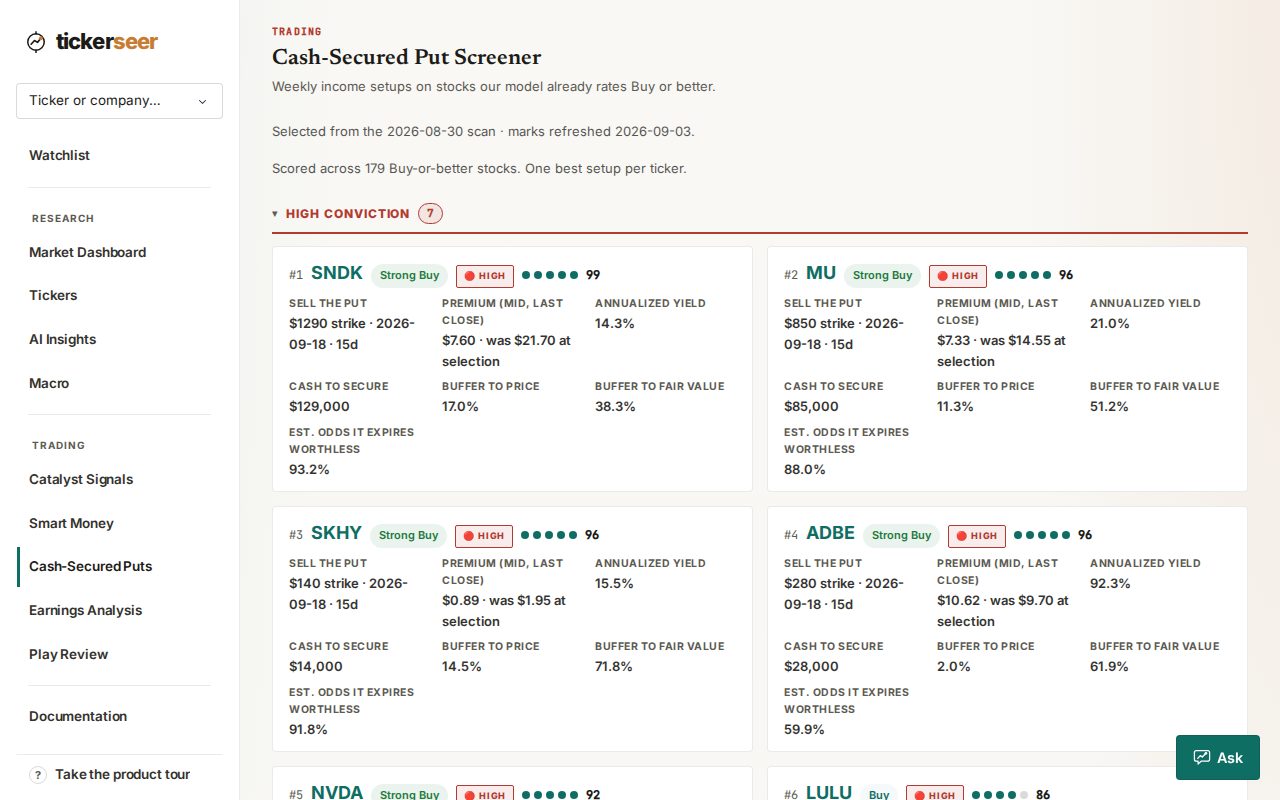
The Put Income screener, listing nightly cash-secured put setups. A track record anyone can check
Every verdict the engine publishes is now scored in public: the methodology, a downloadable ledger, and the losing calls sitting next to the winning ones. If a week went badly, that week is on the page.
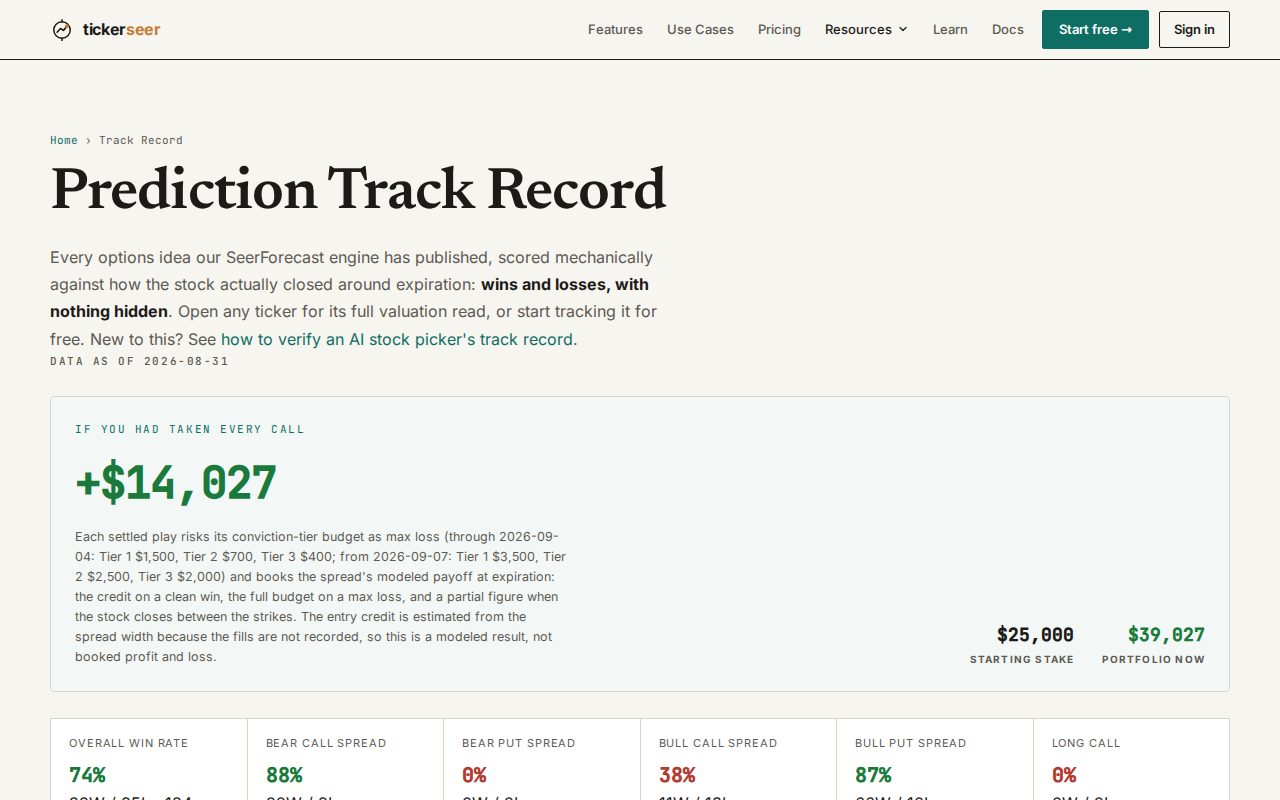
The public track record page. Three weekly emails, each with its own switch
A Monday digest personalized with your watchlist, a market brief covering the week's news and sector moves, and a Friday retrospective on what actually happened. You can take one and skip the others.
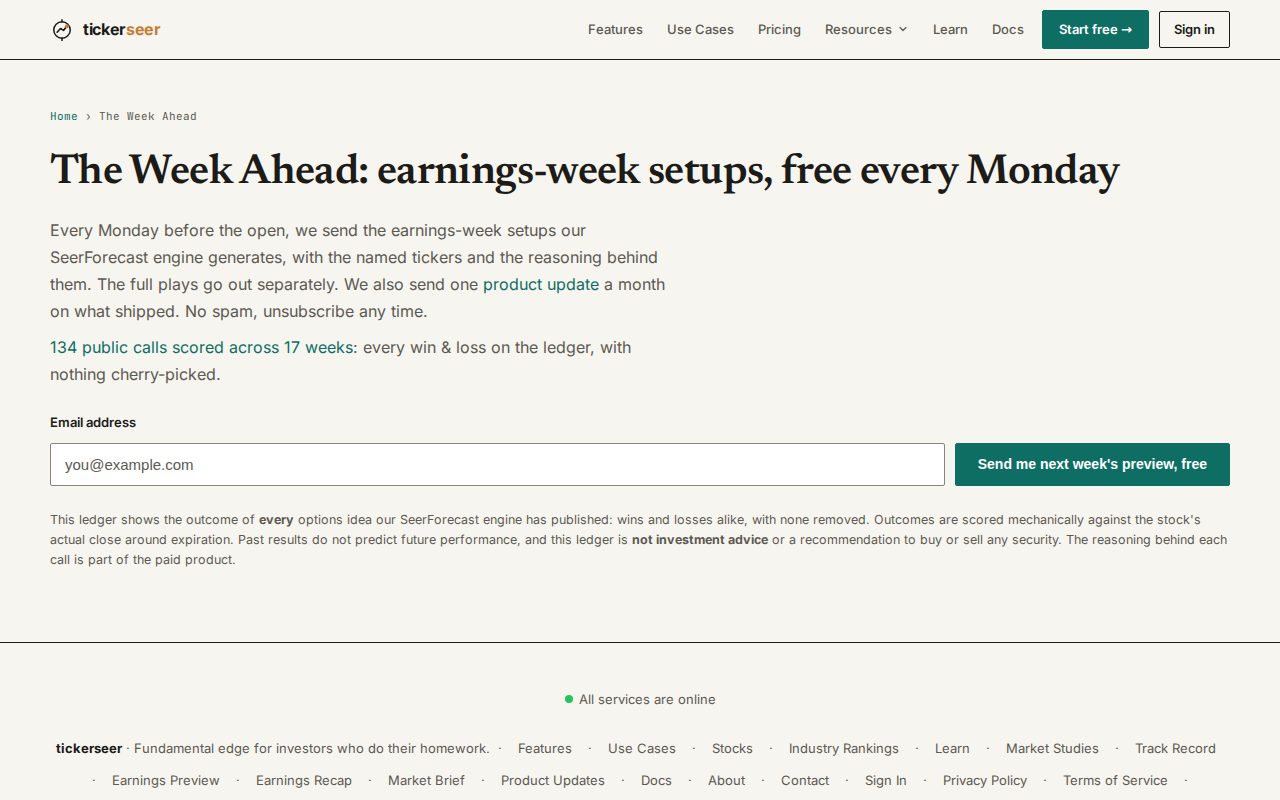
Sample previews of the three weekly emails. A query builder for the whole universe
Build a filter by clicking clauses together, watch the ratings table narrow as you go, and export what is left as CSV.
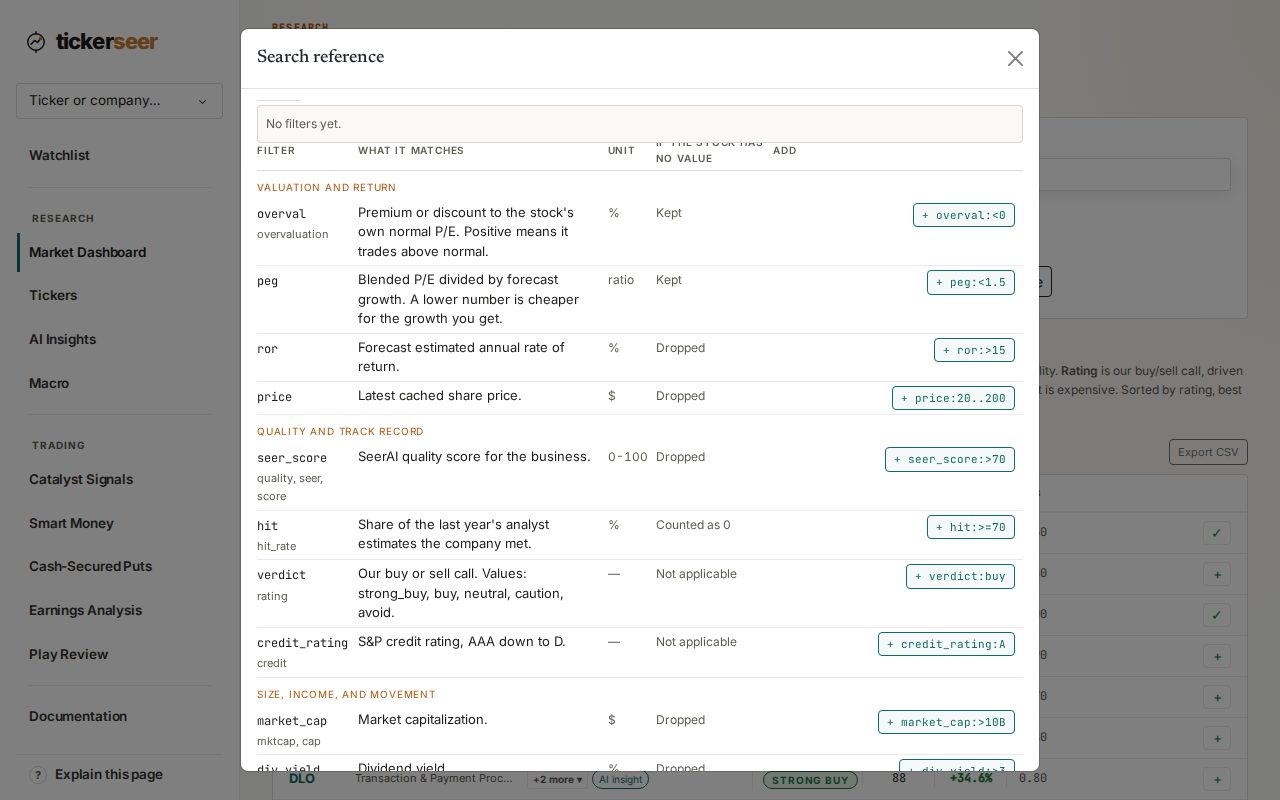
The search reference on the Market Dashboard, where most fields can be added to the query as a clause. Notes, price targets, and what happened since you added it
Put a note and a target price on any watched stock and get an alert when it hits. Each row also shows the move since the day you added it and whether the rating has drifted.
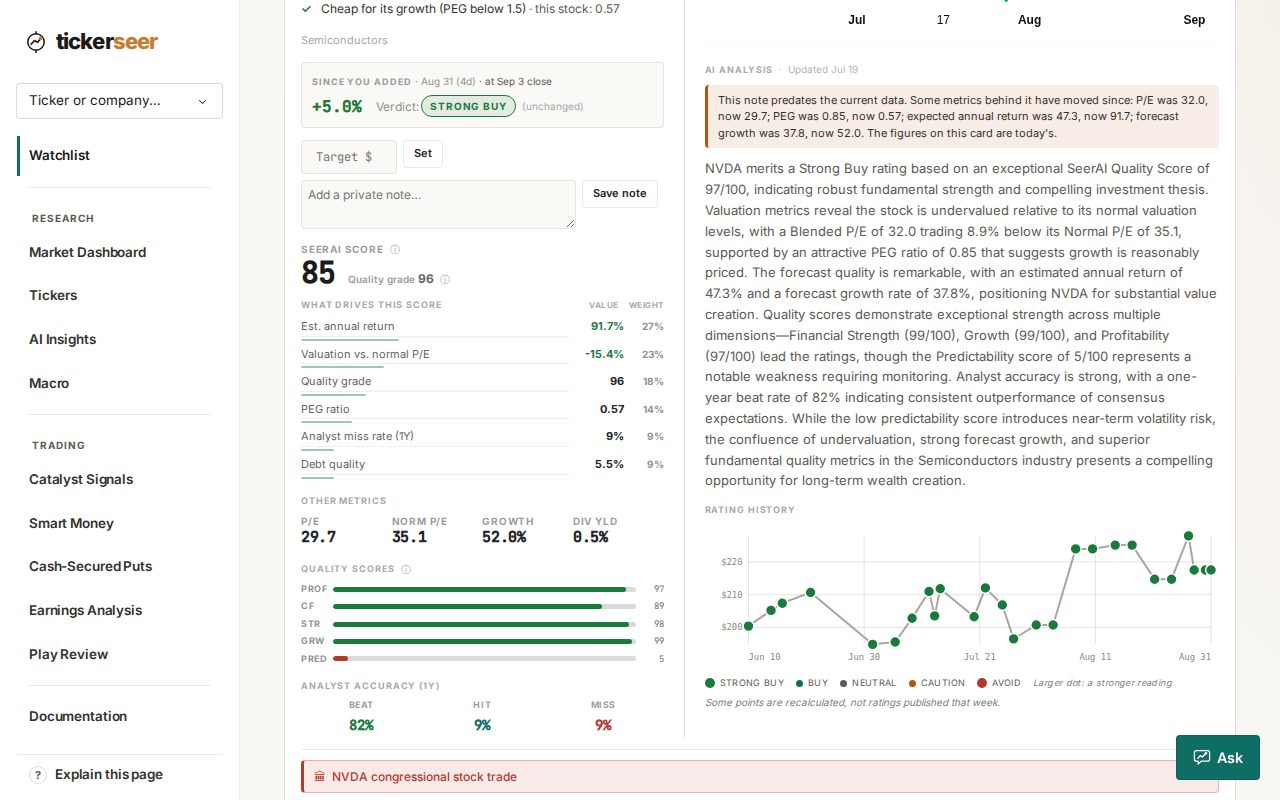
A watchlist card, showing how the stock has moved since it was added, above the boxes for a private note and a price target. Plays sized in your money
Set a trading budget in your account and the weekly earnings plays show position sizes in your dollars, with a flag on any play that does not fit the budget.
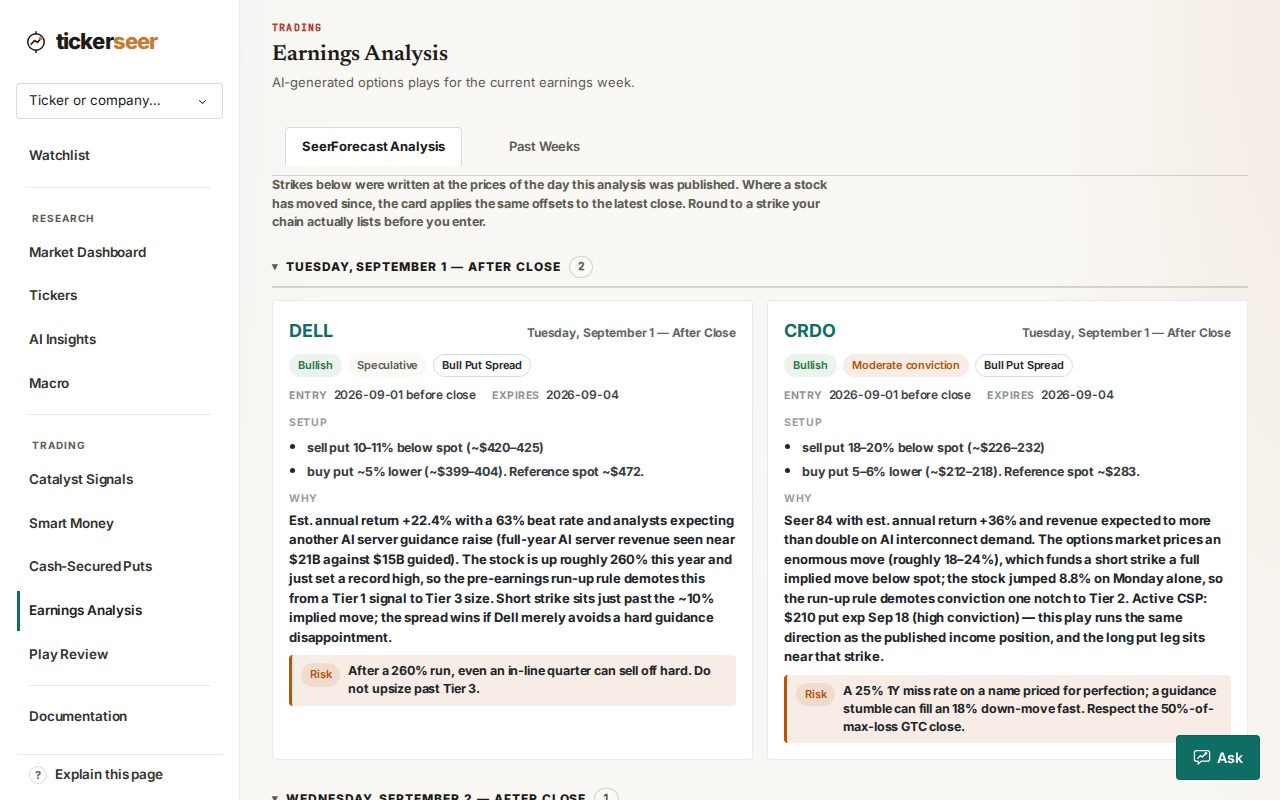
The Earnings Analysis page, opening on the week's play cards. Research pages that need no account
Per-stock and per-industry pages, an explainer hub, weekly earnings previews and recaps, and sympathy-play pages. You can read all of it logged out, and it runs on the same numbers the app uses.
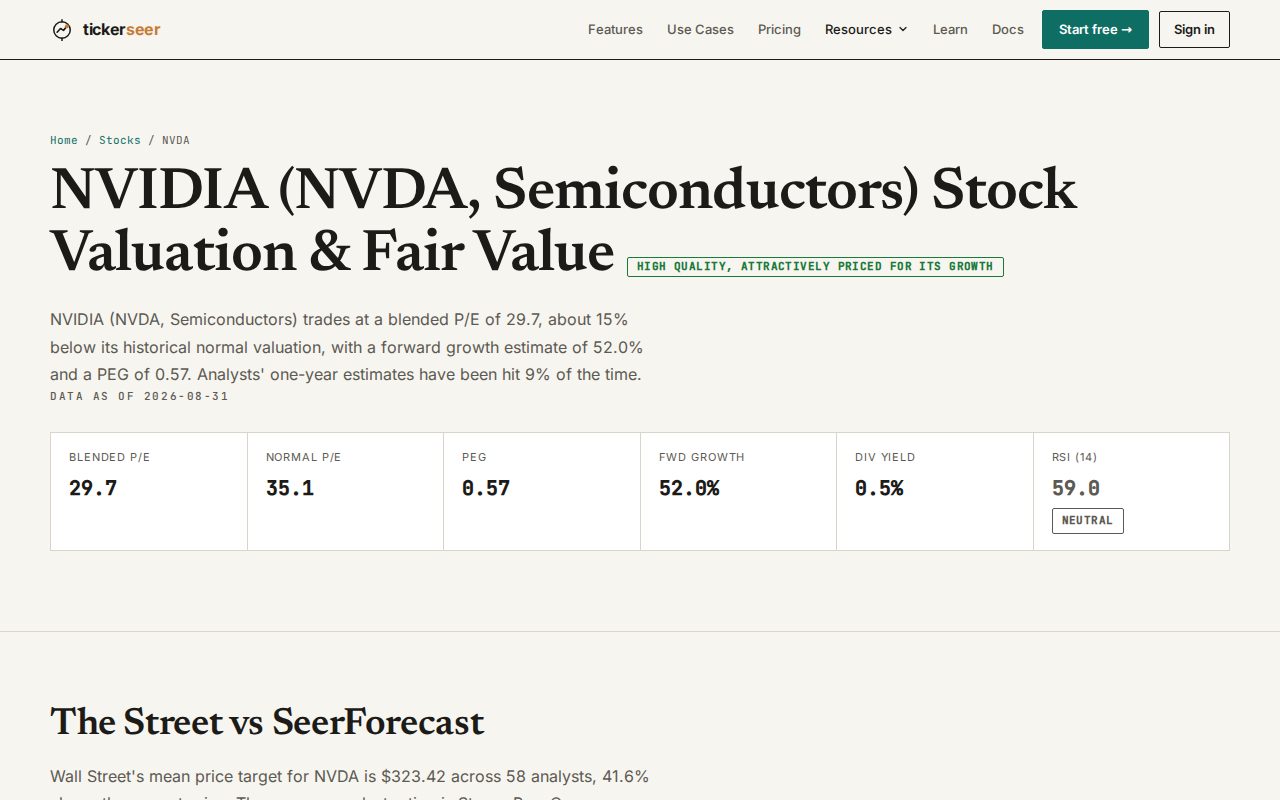
A public stock page, open with no account.
Also this month
- Paste a list of holdings and get a rating on each, then add the ones you want in bulk.
- Street analyst price targets now sit next to our own forecast, with a label saying how old each one is.
- A weekly learning loop: settled outcomes tune the gates that shape the next week's suggestions, and a Premium panel shows what changed.
Screenshots show these features as they look today; the product has moved on since this edition was written.
What shipped in June: Ask tickerseer, watchlist alerts, self-serve plans
June was the month tickerseer became something you could sign up for, pay for, and walk away from without emailing anyone.
Plans you manage yourself
Subscriptions run through Stripe. Start on monthly or annual, switch between plans in place with the difference prorated, and cancel from your account page. A trial you cancel ends immediately; a paid plan runs to the end of the period you already paid for.
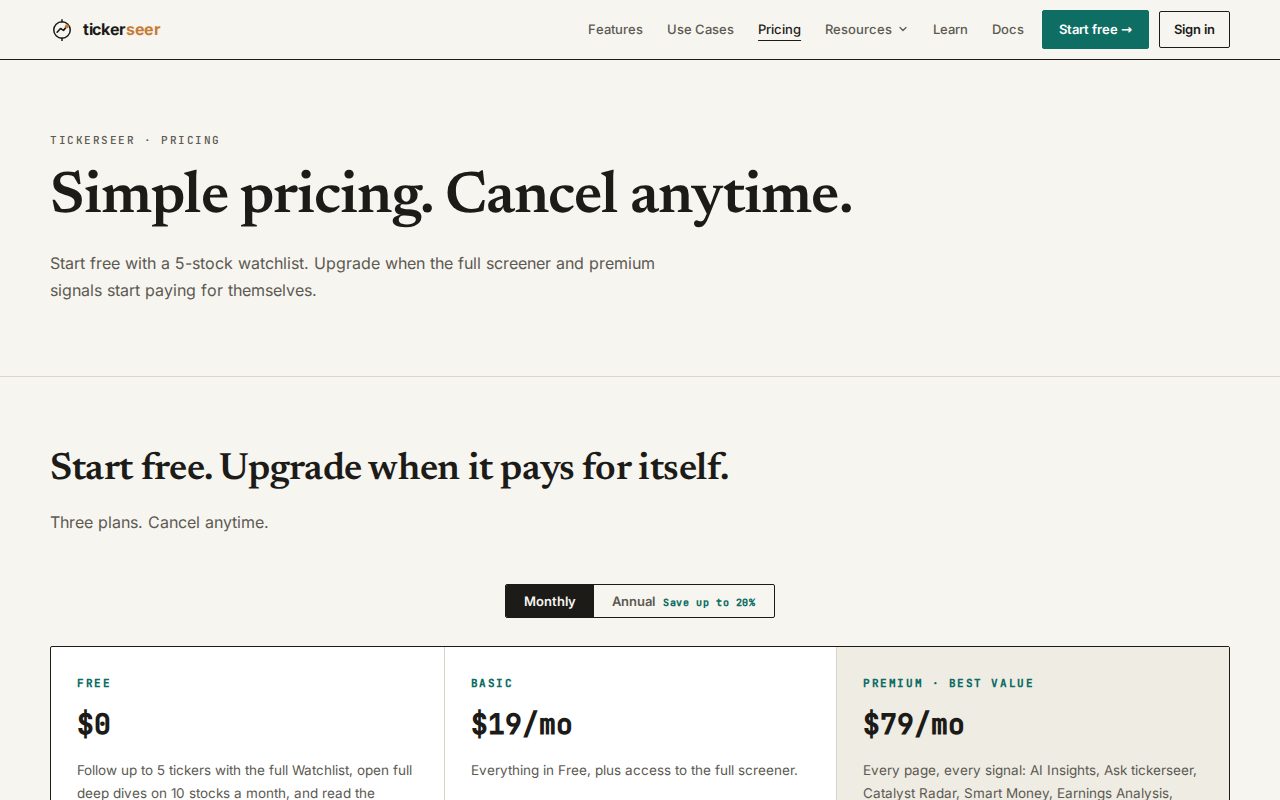
The pricing page, showing monthly and annual plans. Sign in without a password
Magic-link sign-in now sits alongside Google. Type your email, click the link we send, and you are in.
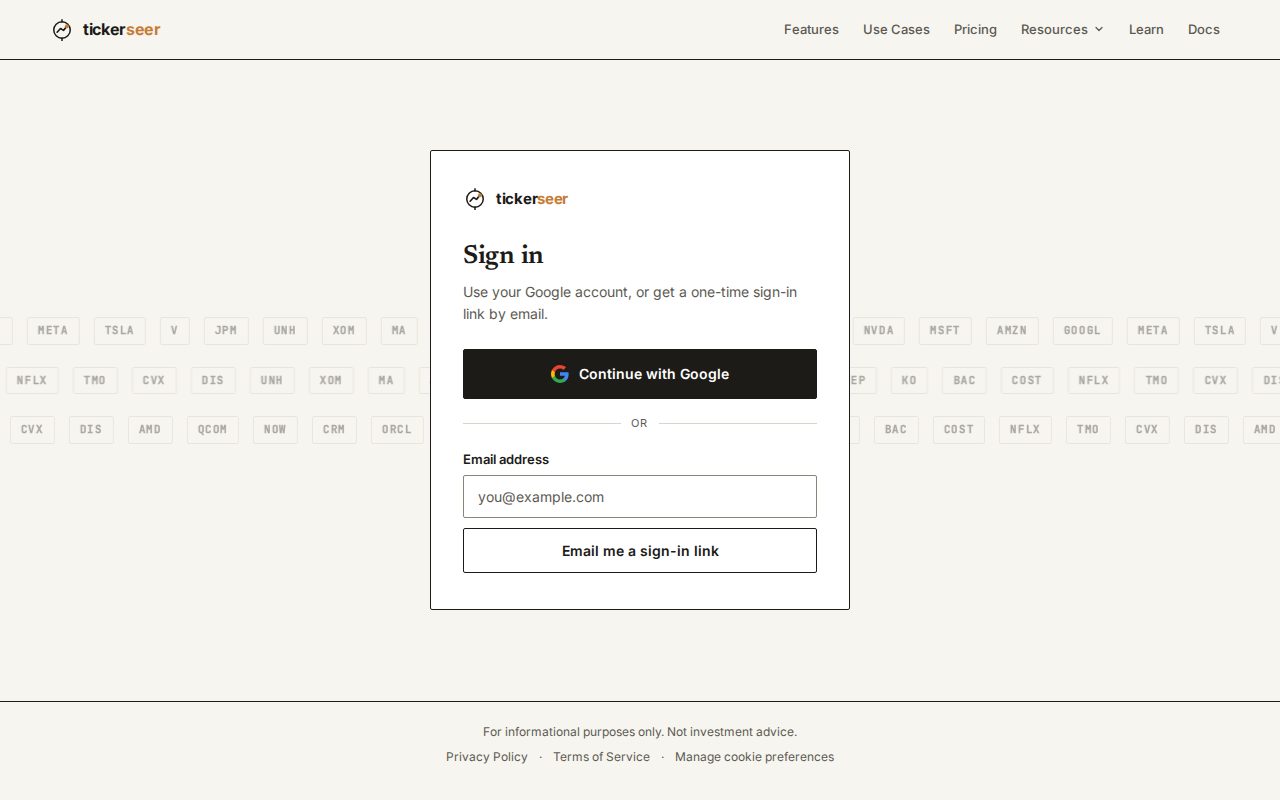
The sign-in page, with the magic-link email option. Ask tickerseer Premium
A conversational page that answers questions against our own written analysis: the weekly earnings documents, the play reviews, and the per-ticker write-ups. It tells you what it read to get its answer, keeps the day's conversation, and shows how much of your quota is left.
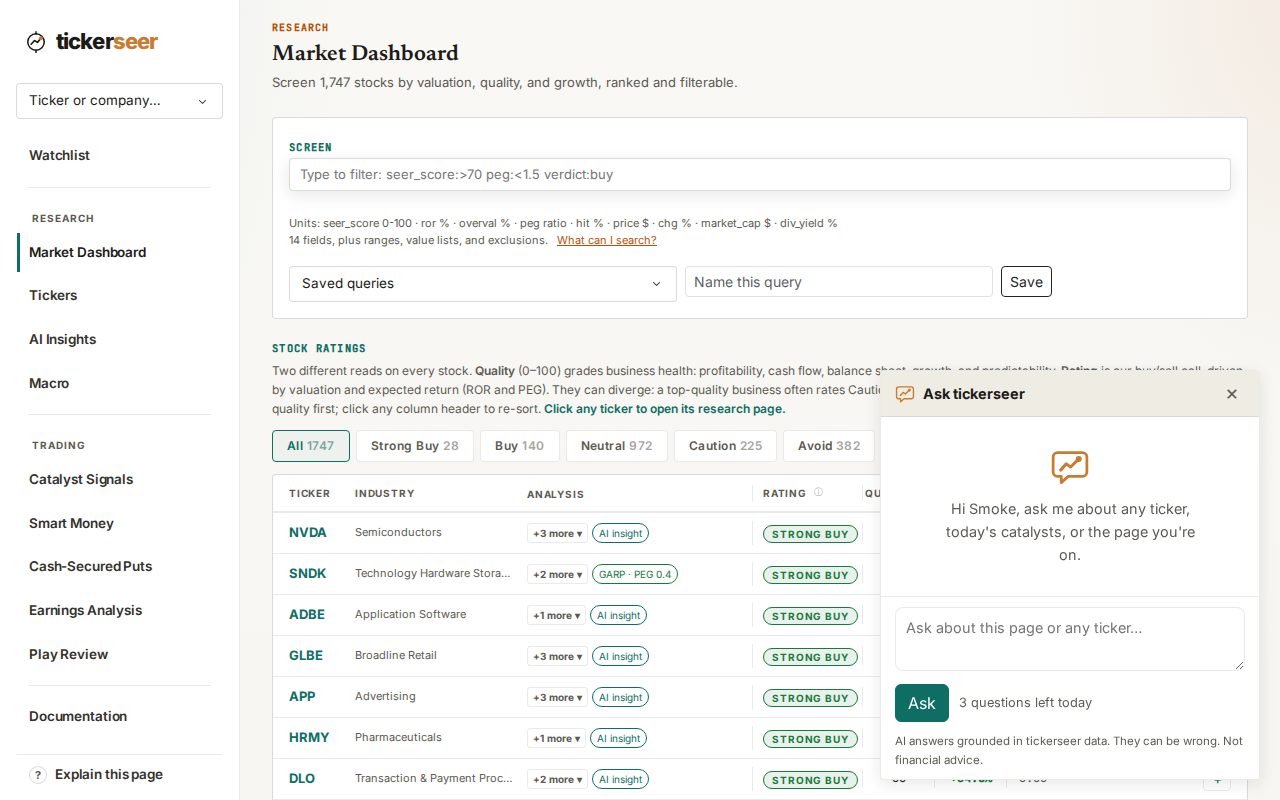
The Ask tickerseer panel, open with a question field ready. Watchlist alerts, and a verdict on every row
Watched stocks carry a rating, a written narrative, and risk flags. Email alerts cover large moves, valuation shifts, fired catalysts, and upcoming earnings, with a preference per alert type and a daily-digest option if you would rather have one email than several.
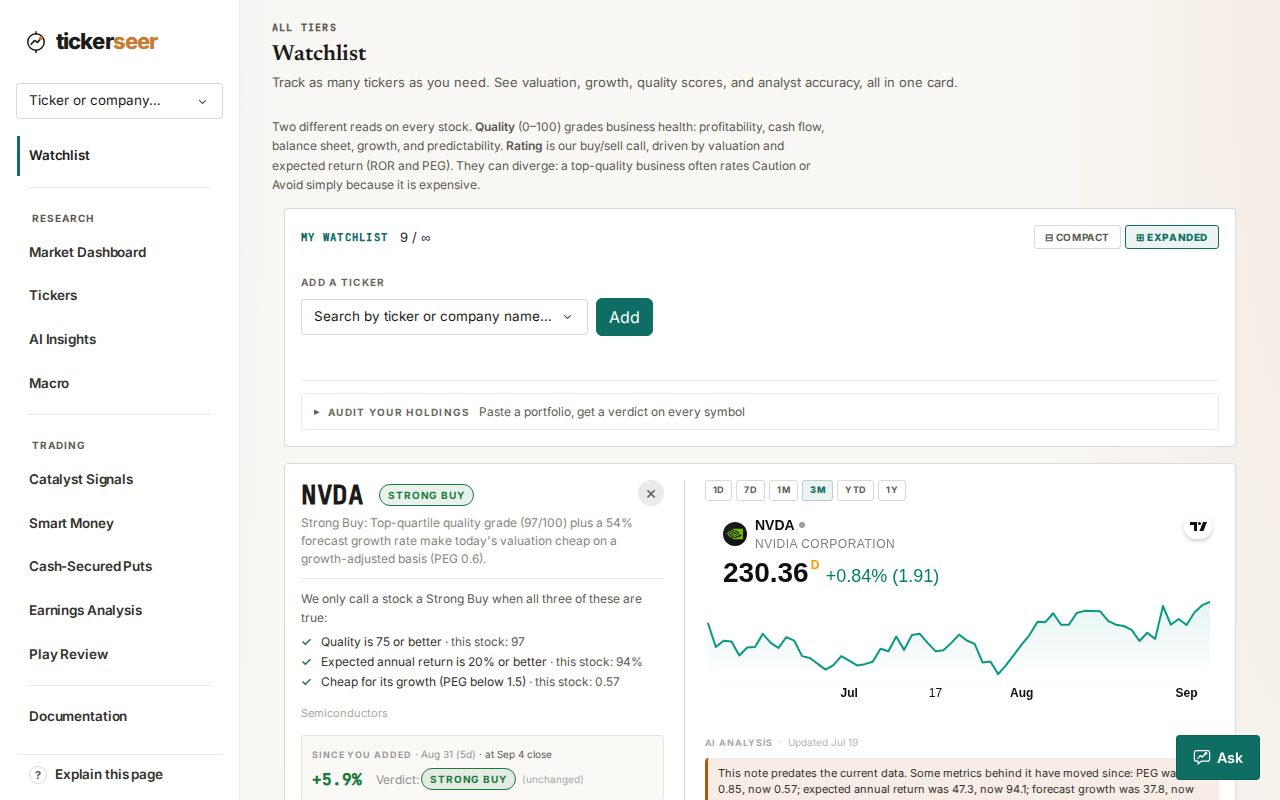
The watchlist page, with a rating on every row. Stock Ratings on the Market Dashboard
The rated universe in one paginated table, with a valuation chip on each row and ticker symbols that open the deep dive.
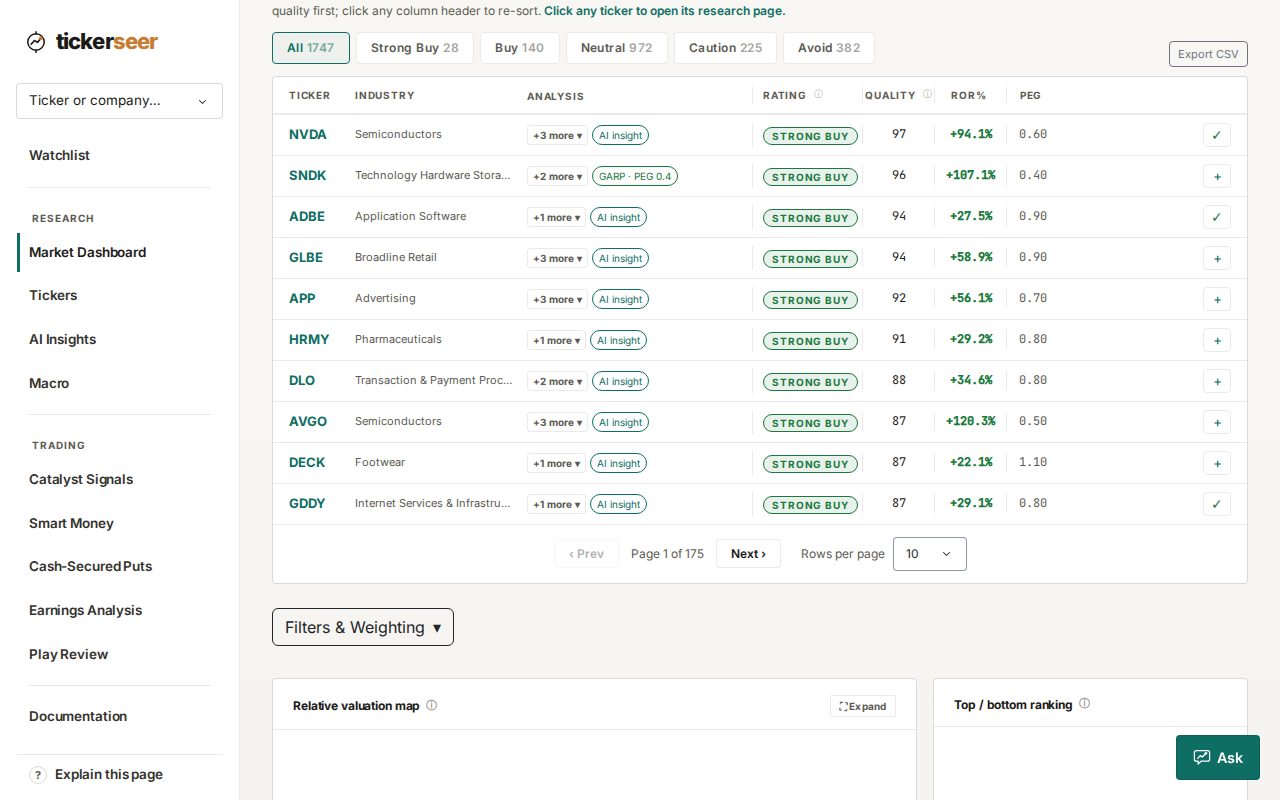
The ratings table on the Market Dashboard. Earnings history that goes back further
The EPS chart now reaches 12 to 15 years on most stocks, filled in from SEC EDGAR filings where earlier history is missing. Companies with no positive earnings get a valuation corridor instead of an empty chart.
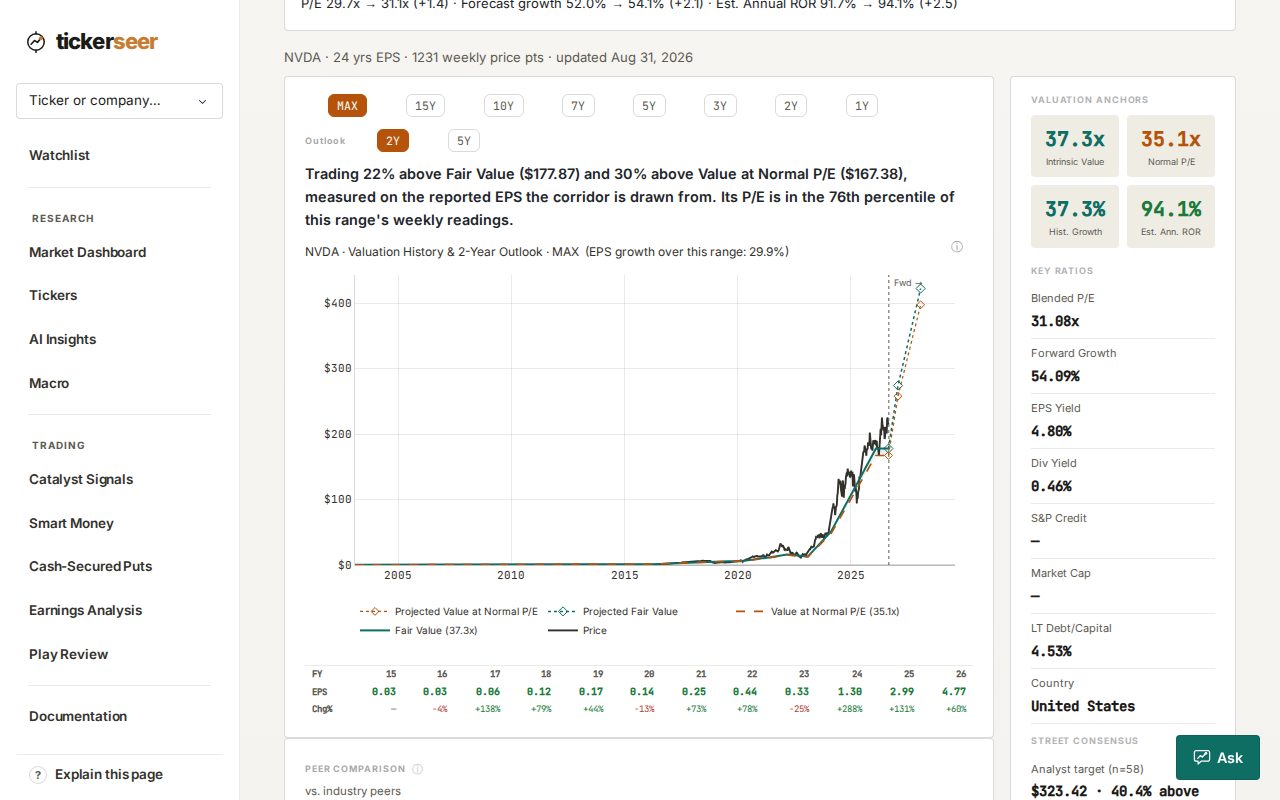
The valuation history chart on a ticker page, covering more than two decades of reported earnings. Congressional trades on their own page Premium
Smart Money reads the disclosure filings and lists who bought or sold what, grouped per person and ticker, and feeds the same events into the catalyst signals.
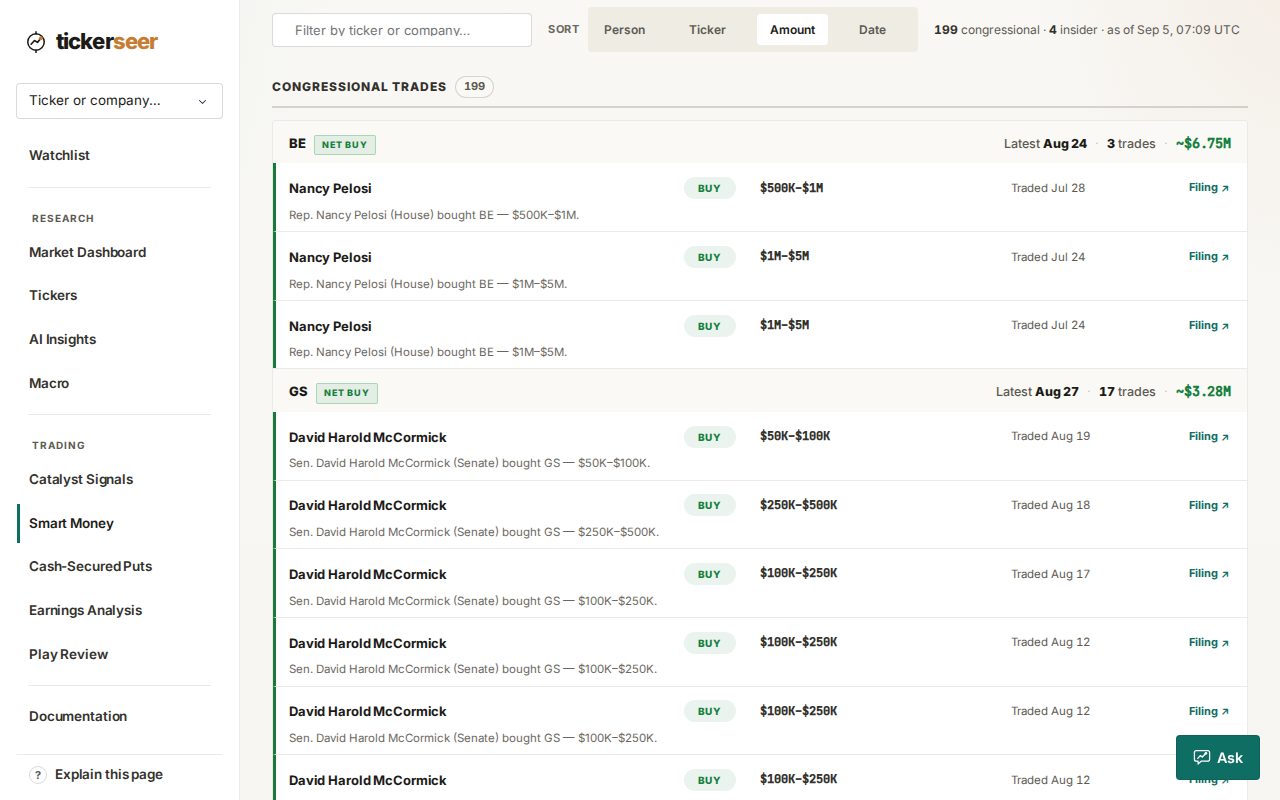
The Smart Money page, listing congressional trade disclosures.
Also this month
- First-visit guided tours on each page, aware of your plan so they only point at things you can actually open.
- A documentation page explaining the metrics and how the ratings are built.
Screenshots show these features as they look today; the product has moved on since this edition was written.
Each edition describes the product as it stood that month; details can change in later months. For how the engine's own calls have done, see the public track record.